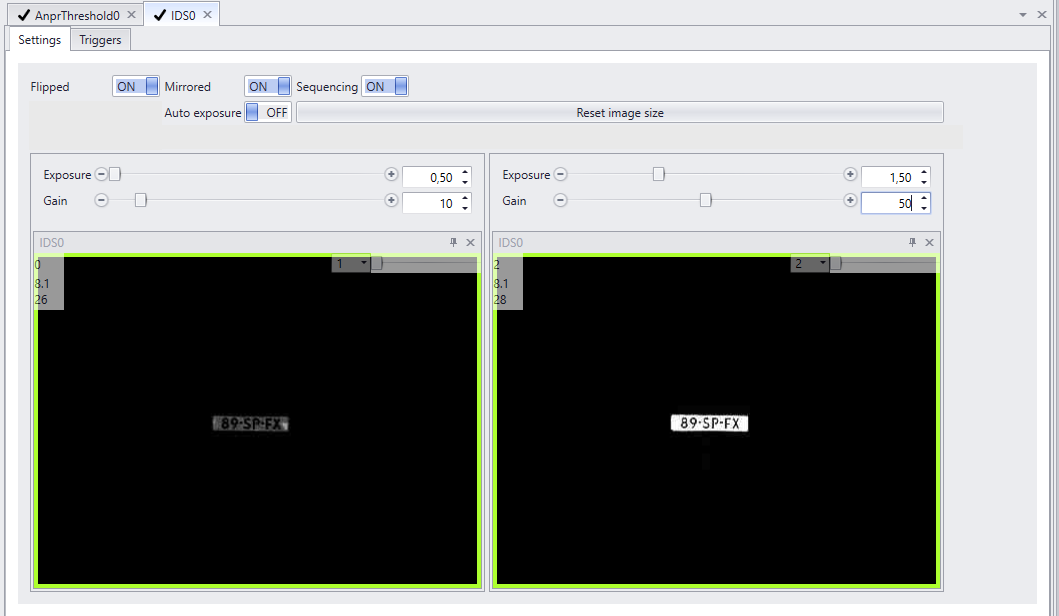
As of the GK_410X4 exposure and gain are set in the IDSPeakAxon
As of GK_410X4 exposure and gain are set in the IRXAxon
GK_410X/GK_410X2 and GK_150X/GK_1250X2
Watching ANPR live while adjusting the settings is the only way to create the best image. As the cars pass it can be judged whether they are recognized or if the exposure needs to be adjusted to get better readings.
In CortexClient open both the viewpanel of the GatekeeperAxon and the IDSAxon.
Enable the ANPR inspection overlay by right clicking the GatekeeperAxon and choose 'ANPR'. The ANPR inspection overlay will be visible.
Adjust exposure and gain in the IDSAxon. The effects on the recognition can be immediately seen in the GatekeeperAxon.
Exposure and Gain |
|
|
Exposure Rules of thumb: •Optimal settings will show a focused and sharp license plate with a dark background. •The higher the exposure time (max of 3.0), the more blur or distortion can occur. •If lighting conditions allow for it, keep the exposure time low for the best focus. •Exposure time for stationary cars can be longer then exposure time for cars in motion.
Sequencing: •Outdoors Sequencing (see below) is best enabled. •Indoors Sequencing can be disabled.
GainGain is a setting that controls the amplification of the signal from the camera sensor. It should be noted that this amplifies the whole signal, including any associated background noise. In general, gain should be used only after optimizing the exposure setting, and then only after exposure time is set to its maximum for a given frame rate. |
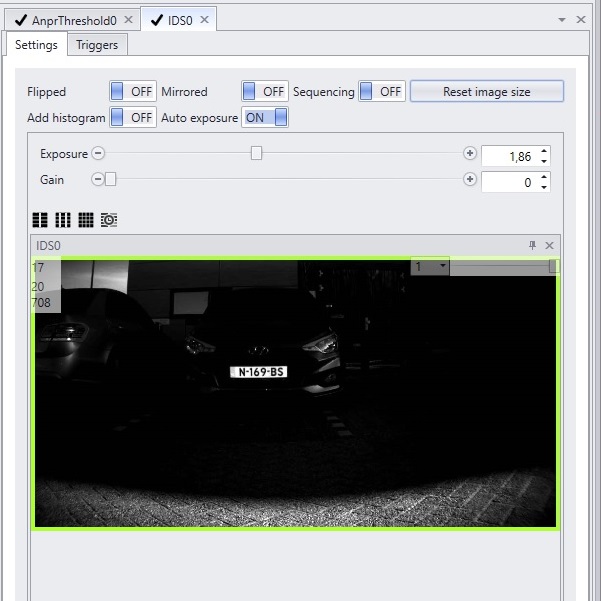
Two sequences for fluctuating lighting conditions |
|
|
In situations where the lighting conditions fluctuate, it is advisable to use two sequences with different exposure times. With the added sequence, the frame rate will be divided over the two sequences. Enable or disable sequencing by clicking the Sequence button ON/OFF.
Each sequence can be set with its own values for exposure and gain, assuring the right visibility in both night- and daytime for instance.
It is important to remember while changing settings, only do so for the sequence that is currently 'active', trying to get both images perfect will defeat the purpose of multiple sequences.
Both images will be sent for recognition at all times, so if the dark sequence sends a clear image in extremely bright days and the light sequence sends a clear image at night it is behaving as it should. |