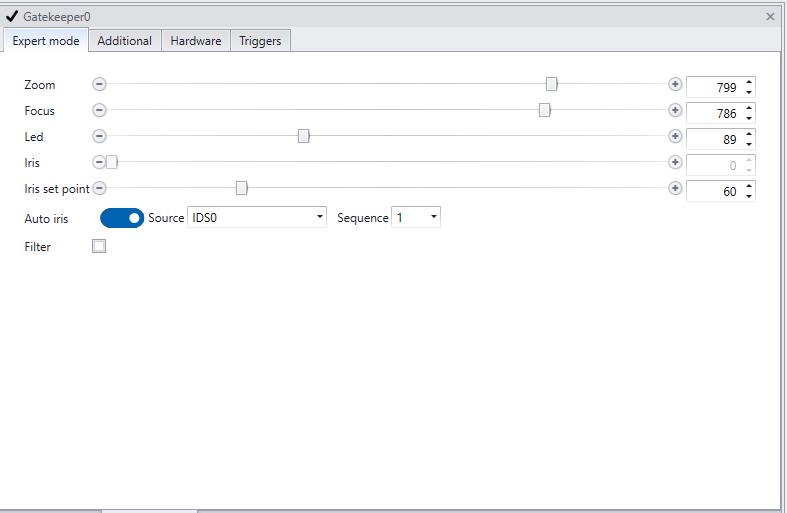
The iris get be configured using the GatekeeperAxon settingspanel.
Iris settings
GatekeeperAxon settingspanel
1.Manually setting iris
The iris can be set manually. Once a value is set, the iris will not adapt anymore. In non changing light situations this can be preferable.
2.Enable auto iris and set iris set point
By enabling 'auto iris' and setting the 'iris set point' the iris will constantly adjust to light and weather circumstances to maintain the same image brightness.
'Iris set point' is the value of the average brightness of the image. The iris will continually adapt to try to achieve this setting. If multiple sequences are active in the IDS settings, choose what sequence you are setting the iris for, in the ‘Sequence id’ setting.
In general, you will set the iris for the darkest sequence (sequence 1), keeping the iris relatively closed. All subsequent sequences will be lighter. The iris set point is set between 60-80, but in some cases, it may be necessary to adjust this value, for instance in extreme dark or light conditions. Be aware that when the iris set point is changed, the other settings (exposure) might need to be re-configured.