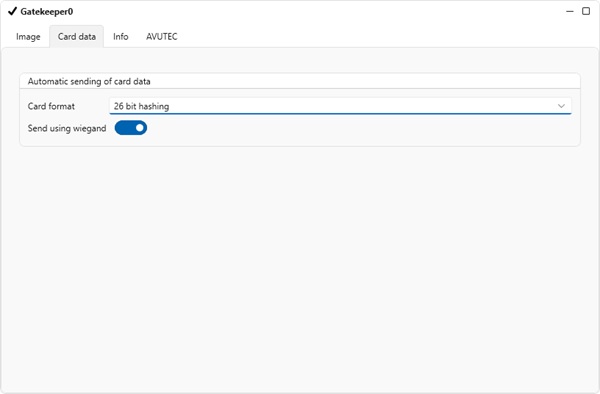
Wiegand is integrated in the camera OS. Therefor configuration is simple.
The camera supports the Wiegand 26, 37, 64 and 128 format.
•Open CortexClient:
username: administrator
password: cortex
•Log into your camera:
username: administrator
password: cortex
•Double click the running cortex , the default settings (CortexView) will open.
When the Cortex is not running. Right click the Cortex and choose run first.
•The settings can be configured in the GatekeeperAxon (name of the panel is Gatekeeper0). Choose the "card data" tab.
•Fold out the dropdown box next to "card format".
•Choose the correct Wiegand format.
•Enable "send using Wiegand"