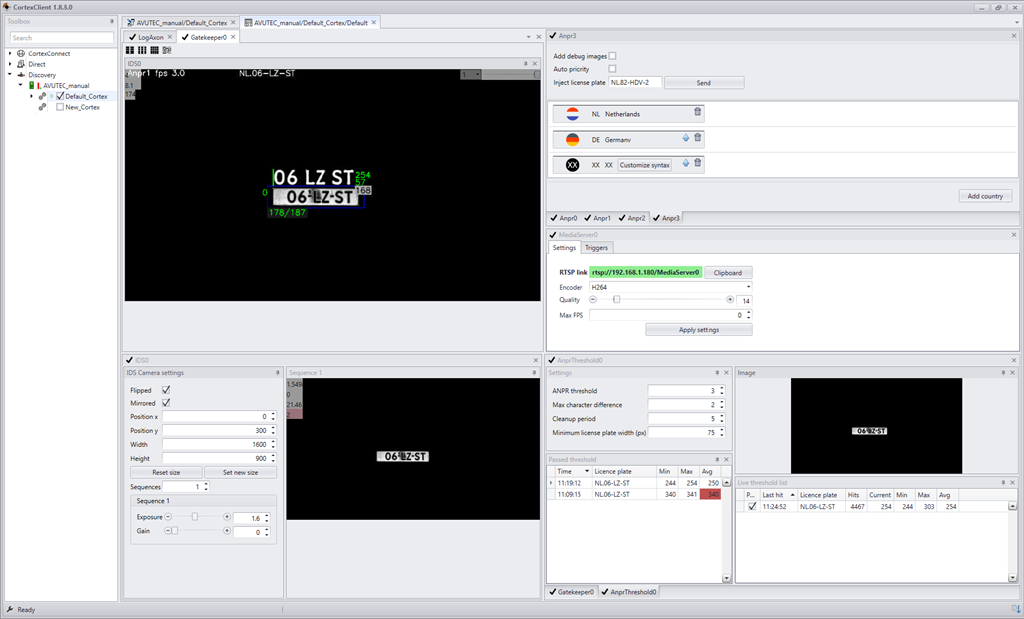
The interface exists of 3 parts: CortexNavigator, CortexDesigner and CortexView.
CortexNavigator is the CortexClient explorer. The navigator is the left panel of the opening page of CortexClient.
All installed CortexDevices and Cortexes can be found here, grouped by the way of connecting to it.
CortexDesigner is the main tool for designing a new or adapting an existing cortex.
A running Cortex cannot be modified. Stop a running Cortex first before further designing of adapting.
CortexView displays the settings and video/image display per Axons of one cortex. This is the tool to set the settings of individual axons and monitor recognition.
CortexView can only be accessed while a Cortex is running.
CortexNavigator and CortexDesigner |
|
|
CortexNavigator is the CortexClient explorer. The navigator is the left panel of CortexClient. All CortexDevices and their Cortexes can be found here and managed. |
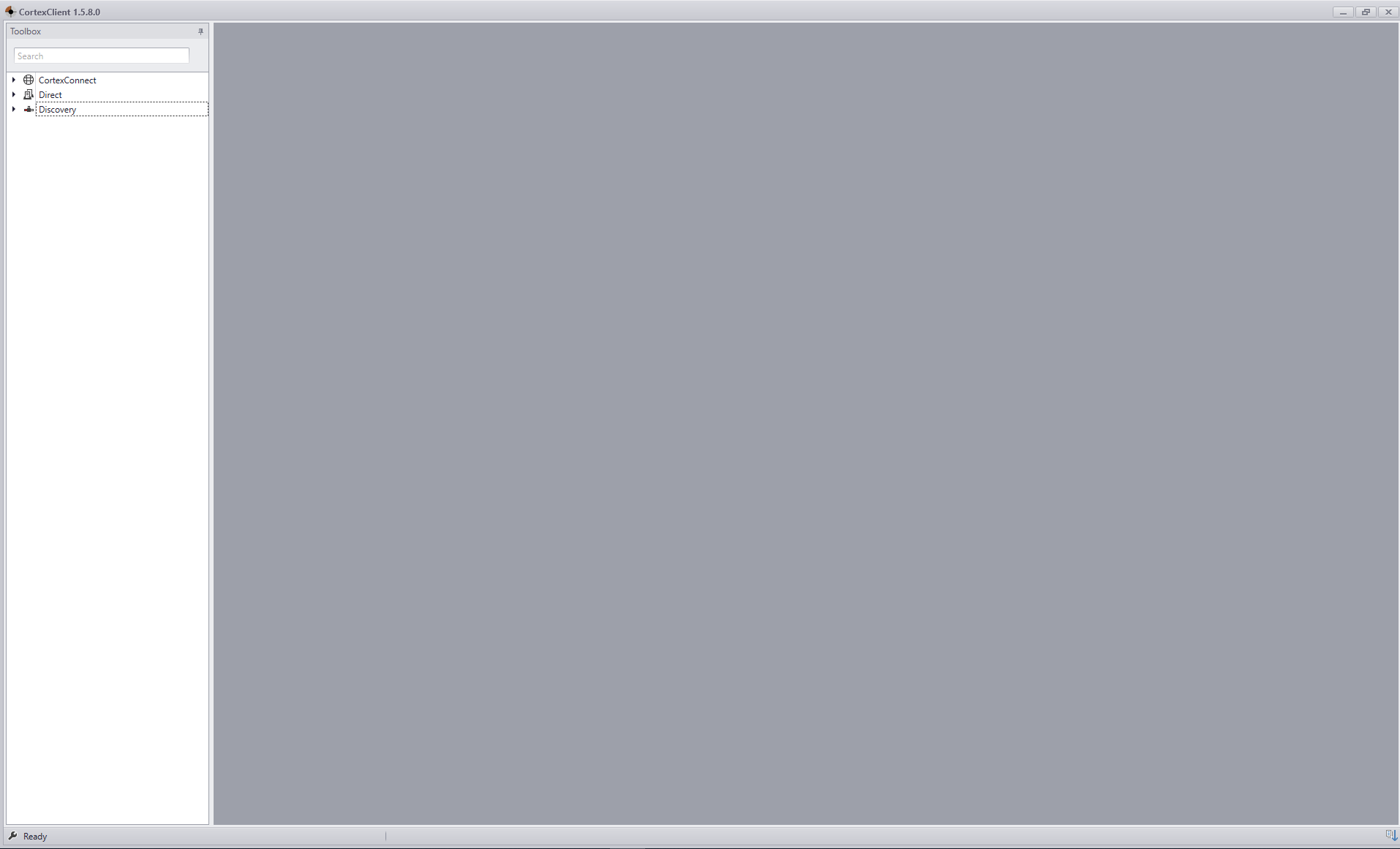
CortexNavigator and CortexDesigner |
|
|
The designer window of CortexDesigner is the main tool for designing a new Cortex or adapting an existing Cortex. |
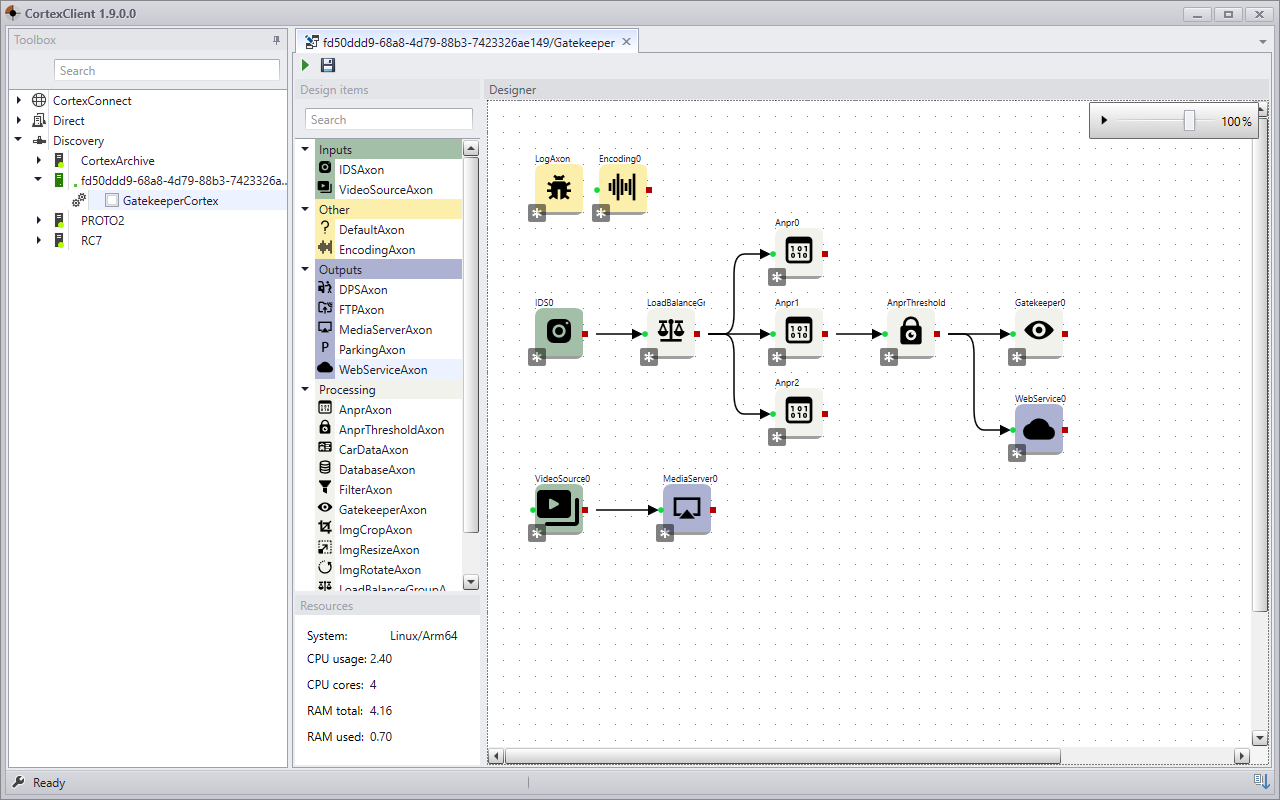
CortexView |
|
|
CortexView is the tool to configure the settings and monitor the performance of all CortexDevices and their Cortexes. |