A direct connection |
|
|
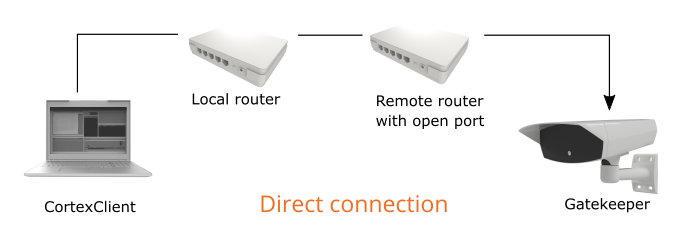
A direct connection can be established when the device can be addressed by its IP address or hostname (DNS name). This connection type does not require any intermediary (relay) servers in-between the client and the device and is by definition the fastest way to access a remote host.
A direct connection is established over the internet. However, additional network configurations might be necessary. In order to directly access a device which is located behind a router, set a port forwarding rule in the router settings on the host side. The firewall software on the remote router must allow incoming connections to the host listening port. The default listening port of CortexDevices is 61234. (See the manual of the remote router for instructions)
|
Connect to a CortexDevice |
|
|
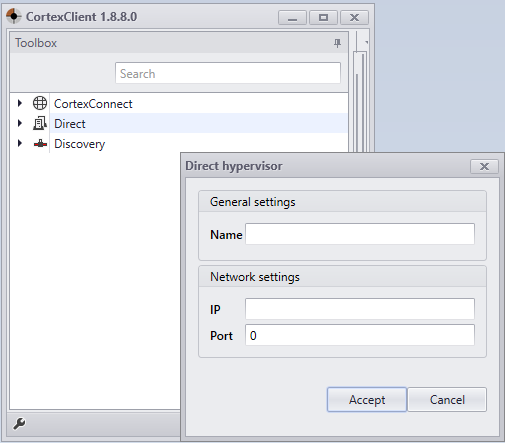
To establish a direct connection right click on 'Direct' and select 'Add hypervisor'.
Fill in the required fields Name, IP and Port and click Accept. The name of the hypervisor will now show up in the direct section and can be logged into with its login name and password. Default login is 'administrator' and default password is 'cortex'. |
Configuring ip adress |
See how to configure the IP adress here. |
