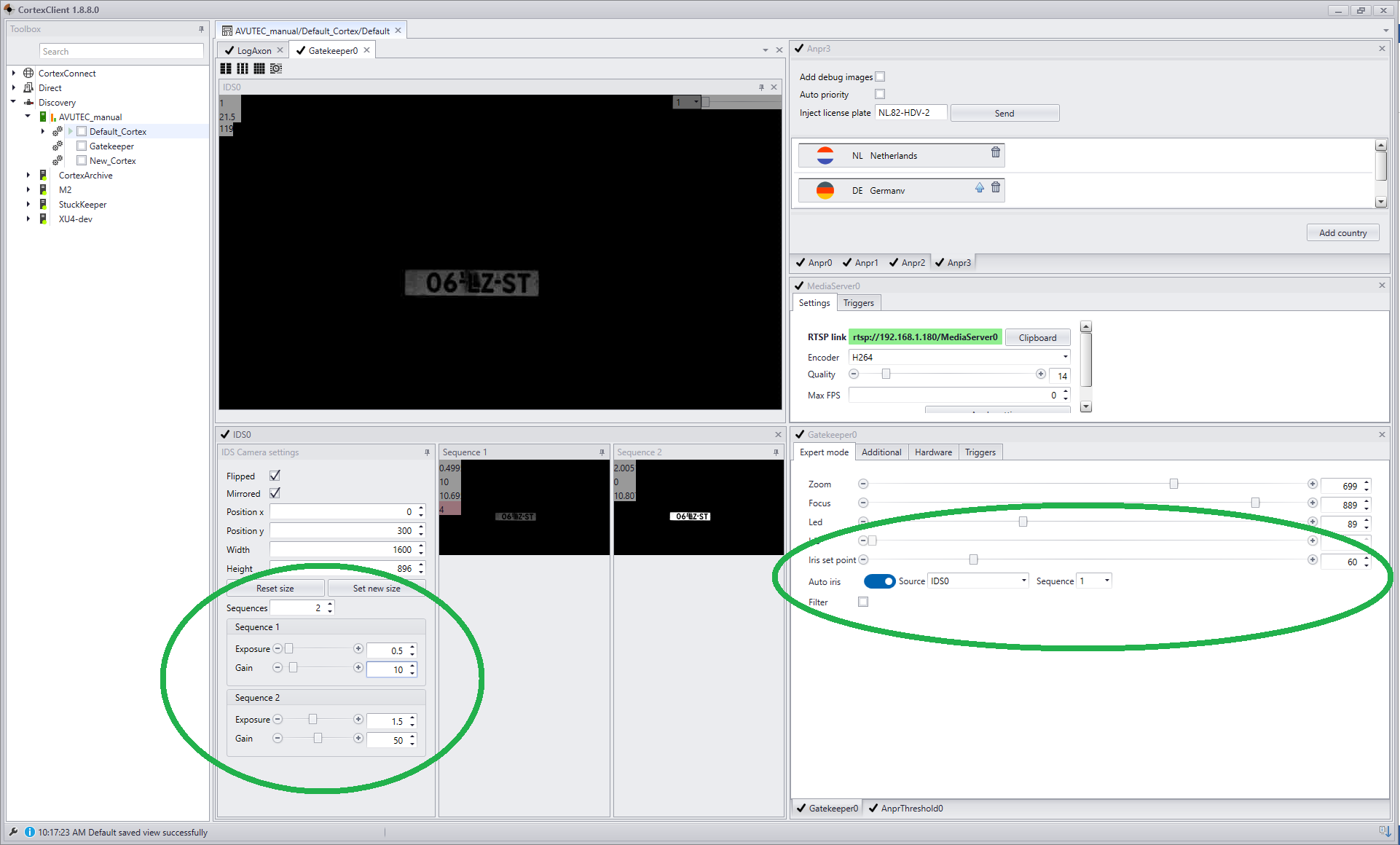
To maintain optimal recognition in various lighting and weather conditions we strongly recommend using sequencing.
Sequencing divides the video stream in two separately adjustable streams. For both image streams the exposure and gain can be set independently.
Iris behavior is set for the bright sequence, normally sequence 1 and will automatically work for sequence 2.
By doing so, a sequence for bright lighting conditions can be set and a sequence for nightly recognition.
Sequencing is only used outdoors. Indoor the lighting conditions can be controlled and do not vary.
Optimal sequencing is achieved by setting exposure and gain in the IDSAxon. In the GatekeeperAxon iris and LED need to be configured.
One sequence should be optimised for bright circumstances. The second for dark conditions. To get the best results the first sequence must be configured on a bright sunny moment; The dark sequence before sunset or after sunrise. To start with we will hand you the default settings.
1.Exposure
the amount of light reaching the sensor effecting the overall brightness and sharpness of the image. It is controlled by shutterspeed and aperture. In other words duration and the size of the opening to the sensor. It is like the pupil of an eye. In the darkness the lens needs to be more open then during the day.
2.Gain
Gain changes ISO values thereby adjusting the sensor’s sensitivity to light
3.Iris:
The iris is the mechanical part of the lens that opens and closes to control the amount of light reaching the sensor.
1. IDSAxon |
||||||||||
|
These settings are set per sequence.
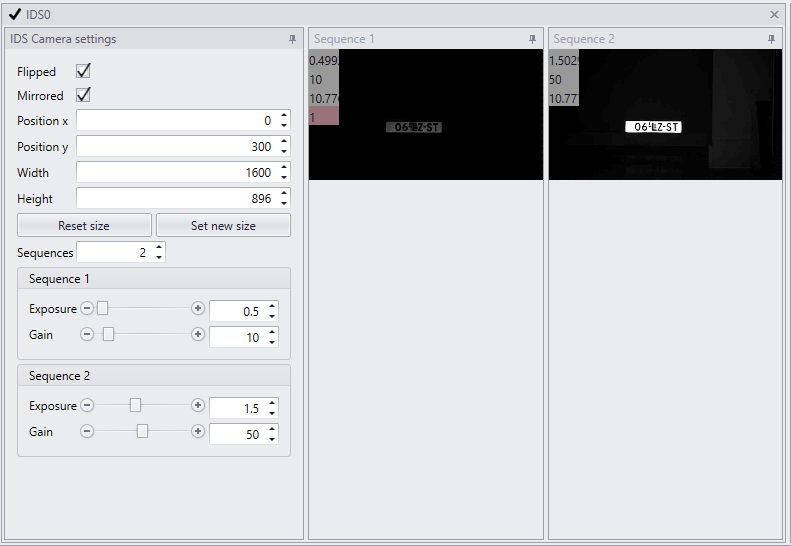
1.Set the number of sequences to two. The sliding windows for gain and exposure will appear.
2.Set exposure and gain to the recommended starting values like below.
Images of both sequences are displayed. Sequence 2 is overexposed. This we will handle in the next step.
|
2.GatekeeperAxon |
|||||||||||||
|
These settings are set for both sequences in the same time.
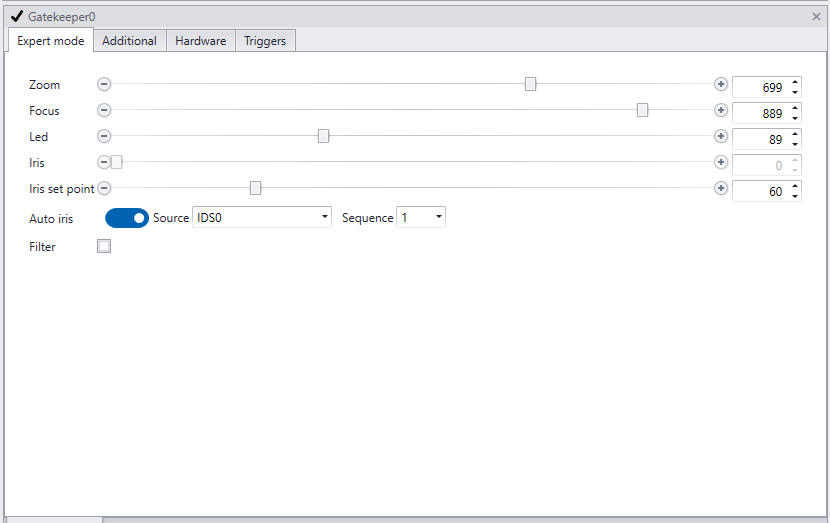
1.Set value of Iris set point to 60 2.Enable Auto iris
3.Set Source to the IDSAxon (in the example the default name is used: IDS0)
4.Set Sequence to 1 (the sequence for bright lighting conditions)
5.Set the LED value
*The iris setpoint is the average pixel value of the selected image source. It controls the overall brightness of the image. The iris of the lens, when set to auto iris, will constantly adjust to keep the average pixel value to this level, maintaining the same quality stream ready for ANPR. |
Overview in CortexClient of the default sequencing settings |
|