Configure the motorized lens and the LED illumination |
In this tab the motorized zoom lens can be configured.
|
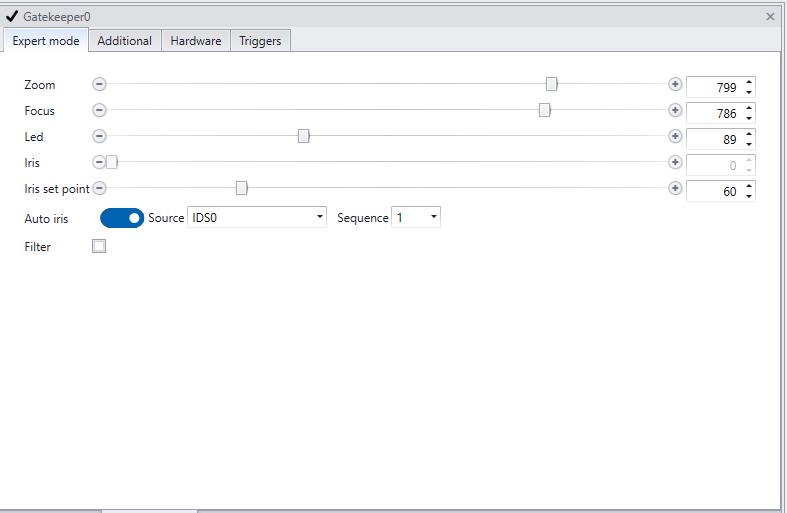
Setting |
Min value |
Max value |
Description |
Zoom |
0 |
1000 |
To zoom in or out. When moving zoom focus will adjust automatically. In the viewpanel of the GatekeeperAxon dragging a region of interest over the license plate will automatically calculate zoom and focus. Focus can be tweaked afterwards if necessary. |
Focus |
0 |
1000 |
To adjust the focus |
Led |
0 |
255 |
To adjust the strength of the leds |
Iris |
0 |
1000 |
To open or close the iris manually. |
Iris set point |
0 |
255 |
The iris set point is the value of the average brightness of the image. The iris will continually adapt to try to achieve this setting. If multiple sequences are active in the IDS settings, choose what sequence you are setting the iris for, in the ‘Sequence id’ setting. In general, you will set the iris for the darkest sequence, keeping the iris relatively closed. All subsequent sequences will be lighter. By default, the iris set point is set to 80, but in some cases, it may be necessary to adjust this value, for instance in extreme dark or light conditions. |
Auto iris |
Set iris to automatic adjustment to current lighting conditions. It will make the iris adjust to the iris set point. |
||
Source |
The source of the video stream. |
||
Sequence |
1 |
2 |
Set the sequence the auto iris uses to adjust to. See iris set point (above) for more details. |
Filter |
off |
on |
To manually set the IR cut filter on or off. The filter stops infrared light reaching the sensor. The daylight filter only transmits infrared light.
|
