As of March 2023 with the launch of our new ANPR engine below is no longer required. All Gatekeepers delivered after that date are automatically outfitted with the new engine.
A Gatekeeper-X comes with a default Cortex with three ANPRAxons to spread the processing over different cores.
Important! All three ANPRAxons still need to be configured. There are no country modules added yet.
Jump to configuration right away or keep reading to know more about the AVUTEC engine.
The ANPR engine is built up with Modules. |
Generic ANPR The generic ANPR module, or XX-module, is looking for characters in the image and reads them as they are. It does not take country syntax, plate type or fonts into account.
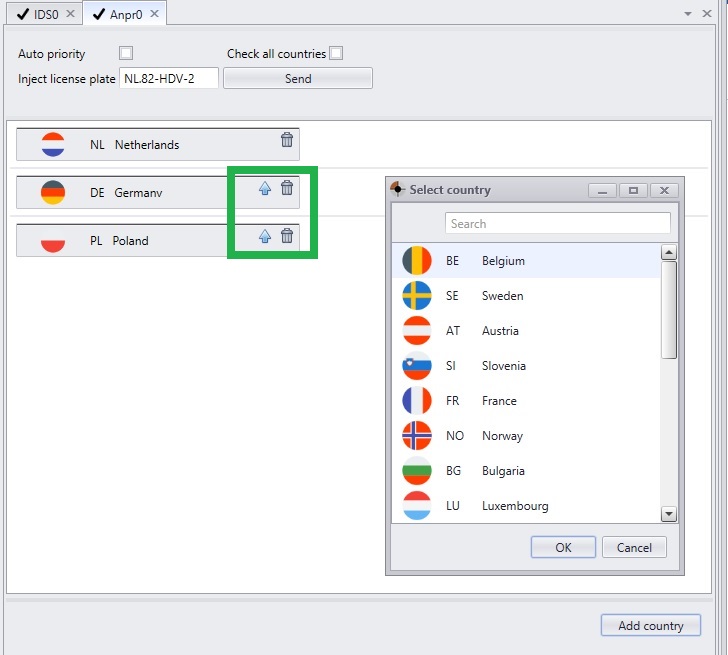
Country specific modules A country specific module is trained on country-specific syntaxis, alphabets, fonts and plate types. This makes it outperform the generic ANPR engine in accuracy by multiple percentages. Different country modules can be stacked, in order of priority and statistical occurrence.
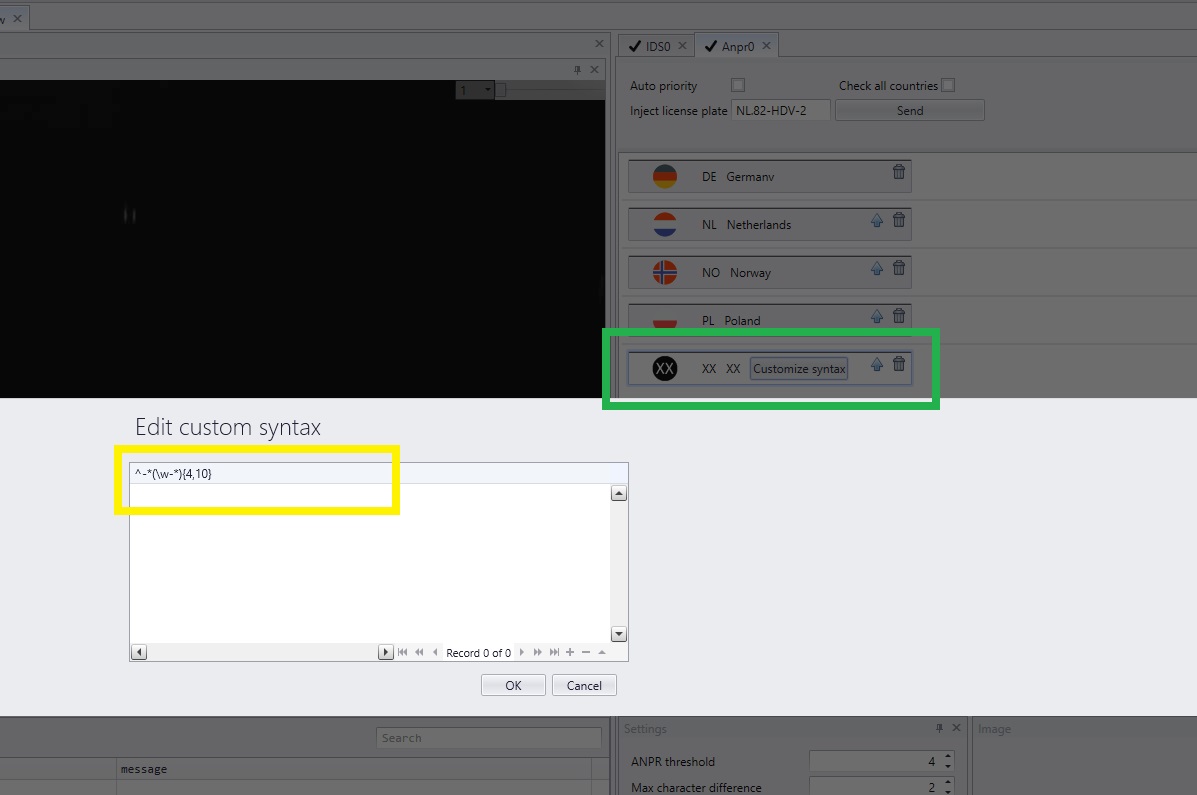
Tailormade module There are two kinds of tailormade modules. A tailormade ANPR can be trained to meet project requirements. An example is the recognition of boat "license plates" in a city in the Netherlands. Or custom syntax is added to the XX module. The capture of a vanity plates could be an example of the latter. Jump to add custom syntax.
|
Stacking ANPR modules |
|
|
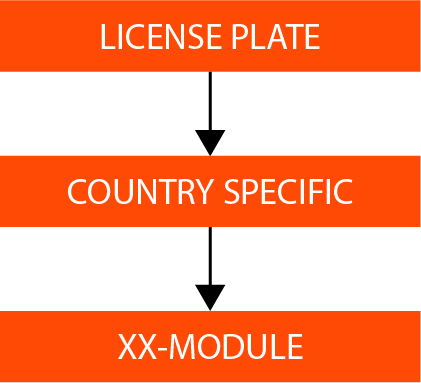
In a typical AVUTEC installation, recognition modules are combined and stacked in the order of project priority. They start with the country-of-installation module and end with the XX-module. When a license plate is captured, it will be processed in that order. When the first module cannot recognize the plate, it’s journey will continue to the following one. The XX-module at the end of the pipeline will read the license plate, that does not fit in any previous syntax, font or plate type.
|