MediaServerAxon has two functions: Discovery and generating an RTSP stream.
MediaServerAxon turns the incoming video stream into a ONVIF camera, broadcasting itself to be picked up by all VMS systems.
It generates a RTSP stream, that can be viewed or recorded.
One MediaServerAxon can only have one video source. When multiple streams need recording the Cortex has to be configured with multiple MediaServerAxons.
Depending on the incoming video stream it will output a RTSP stream in different formats.
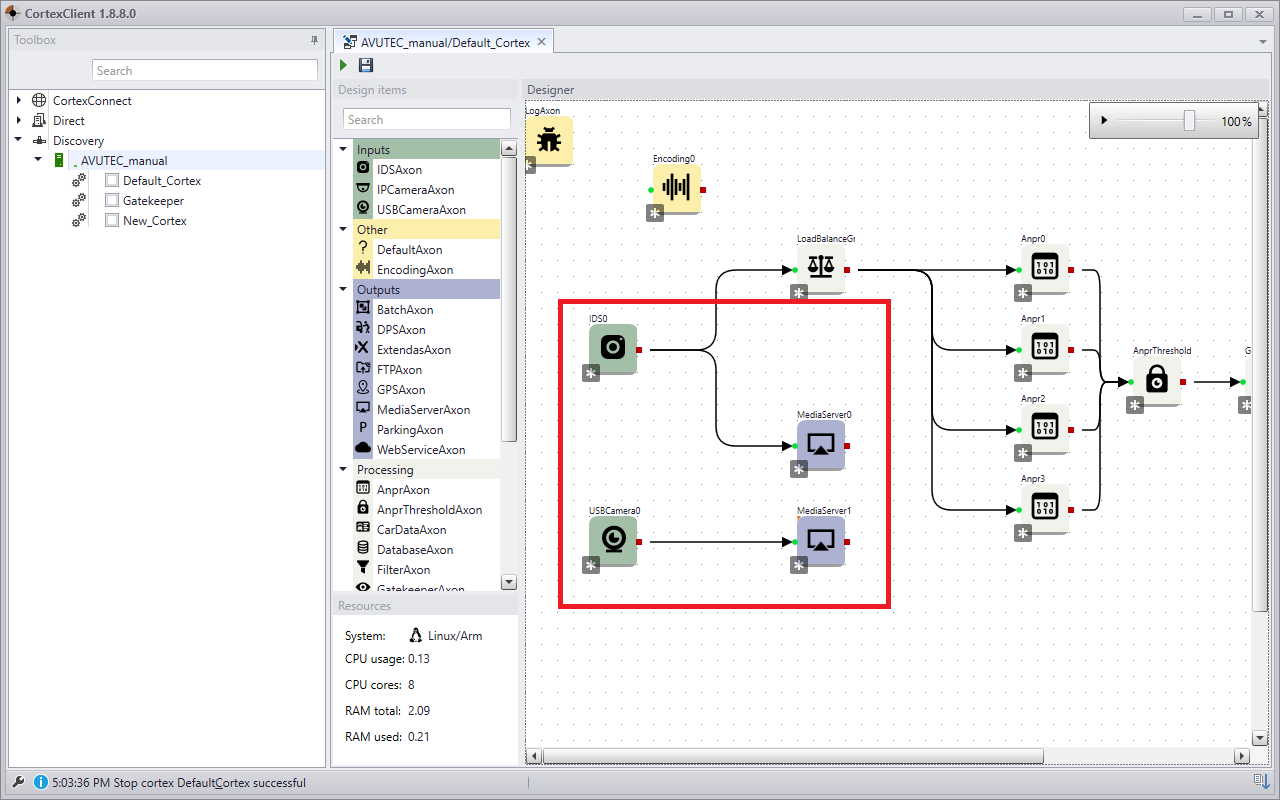
In the Cortex all Axons with an image output can be the source stream for the MediaServerAxon.
It can be the IDSAxon as well as the USBCameraAxon followed by a ImgCropAxon.
The Cortex configuration can look like the example below. |
|
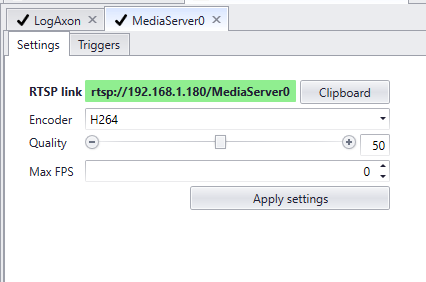
Settings |
|
|
1.RTSP link 1.Clipboard 2.Encoder 3.Quality 4.Max FPS |
AVUTEC rtsp url format |
The MediaserverAxon is listening on the standard RTSP port 554.
1. The format: rtsp://username:password@ipadress/corteximagepath
•username = username of the hypervisor/CortexDevice •password = password of the hypervisor •ipadress = ipadress of the hypervisor •corteximagepath = the names of the axons separated by a dot of the path of the image.
2. The example •username: administrator •password: cortex •ipadress: 192.168.1.106 •cortex imagepath: |
Notes |
Gatekeeper 410, 1250 en Traffic: In the Gatekeeper 410, 1250 and Traffic, the input stream of the MediaServerAxon can be best set equal to the output stream. Use the settings of the USBCameraAxon and the IDSAxon for the proper configuration.
X-series: |
