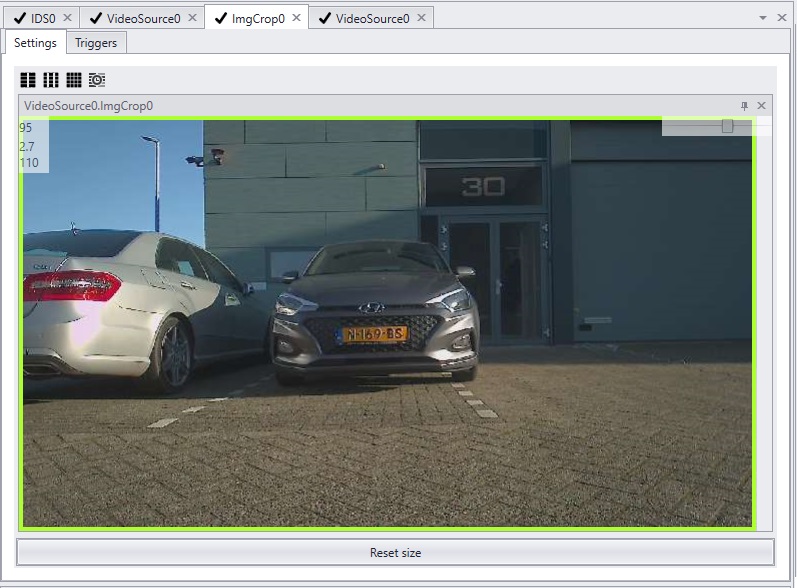
The Module-X is equipped with two camera's. The first camera is placed behind a daylight filter and is sensitive for IR illumination. The second camera is positioned behind a transparent window and provides color images.
The settings of both camera's are controlled with an ULLAxon.
The resolution of the cameras is 1920x1080. Analyzing an image with this size costs a certain amount of processing power. When possible the image should always be cropped by choosing an optimal Region of Interest ,ROI.
The benefits of ROI explained |
Higher framerate By cropping the image in the image sensor itself, the image sensor can produce more frames per second.
Less pixels to process Next to a higher framerate, adjusting the region of interest by cropping, speeds up recognition. Less pixels mean less processing power is needed per image.
Less background noise Cropping minimizes the amount of random background that needs to be analyzed. This will not only speed up recognition, but will improve performance as well. plate. |
The design of the Cortex |
|
|
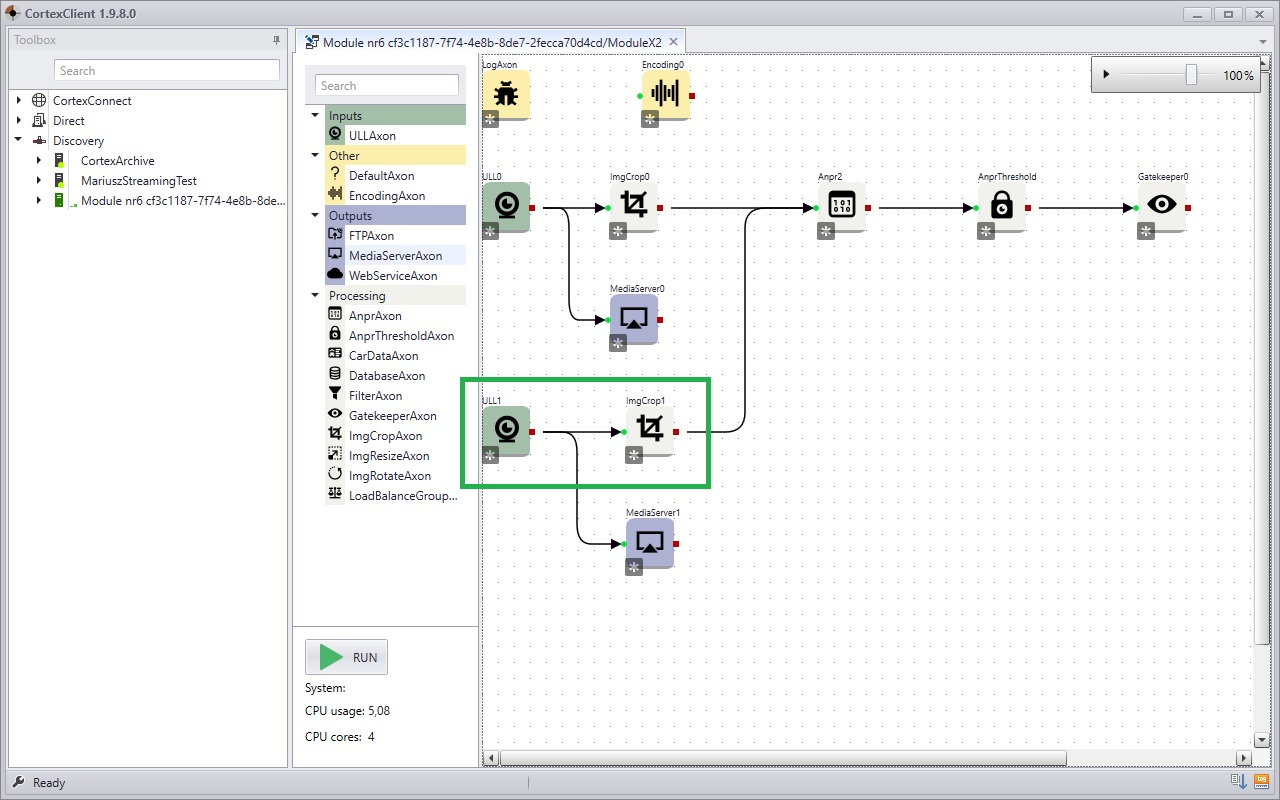
The Axon producing the images of both cameras is the ULLAxon. Cropping is done with the ImgCropAxon.
The screenshot shows the design of the Cortex. In the design you can see two ULLAxons with both their own ImgCropAxon.
Both ULLAxons are connected to an ImgCropAxon. The ImgCropAxons send their cropped images to the ANPRAxons, where they are analysed.
When additional recognition is used, the imgCropAxon of ULL1 (the camera behind the transparant window) will be connected with the DetectionAxon. |
Cropping the region of interest |
|
|
|
The images of both internal camera's can be viewed in three distinct Axons.
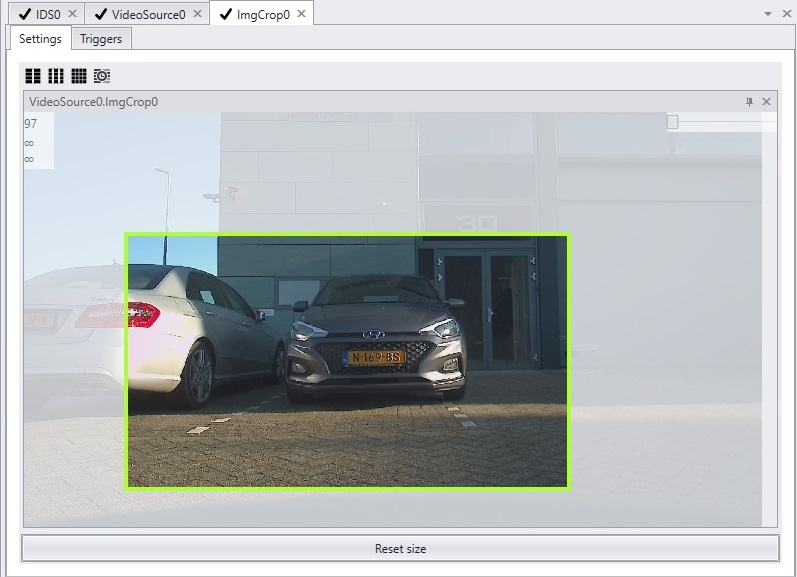
1.In the ULLAxon 2.In the ImgCropAxon 3.In the GatekeeperAxon Cropping the image is done in the ImgCropAxon. In the viewpanel rubber banding can be used to select the area of interest. Hold left mouse button, draw the rectangle of the desired region of interest and let go. Make sure the license plate (or the object to recognise) is in view on the required positions.
The view of the Axon will immediately change. To reverse the crop click 'reset image size'.
|
|